Solving Interaction to Next Paint (INP) Failures in Ad-Heavy WordPress Sites
How programmatic ad scripts block the browser's main thread and destroy INP scores — and how to reduce ad latency in WordPress through architectural isolation, not brute-force deferral.
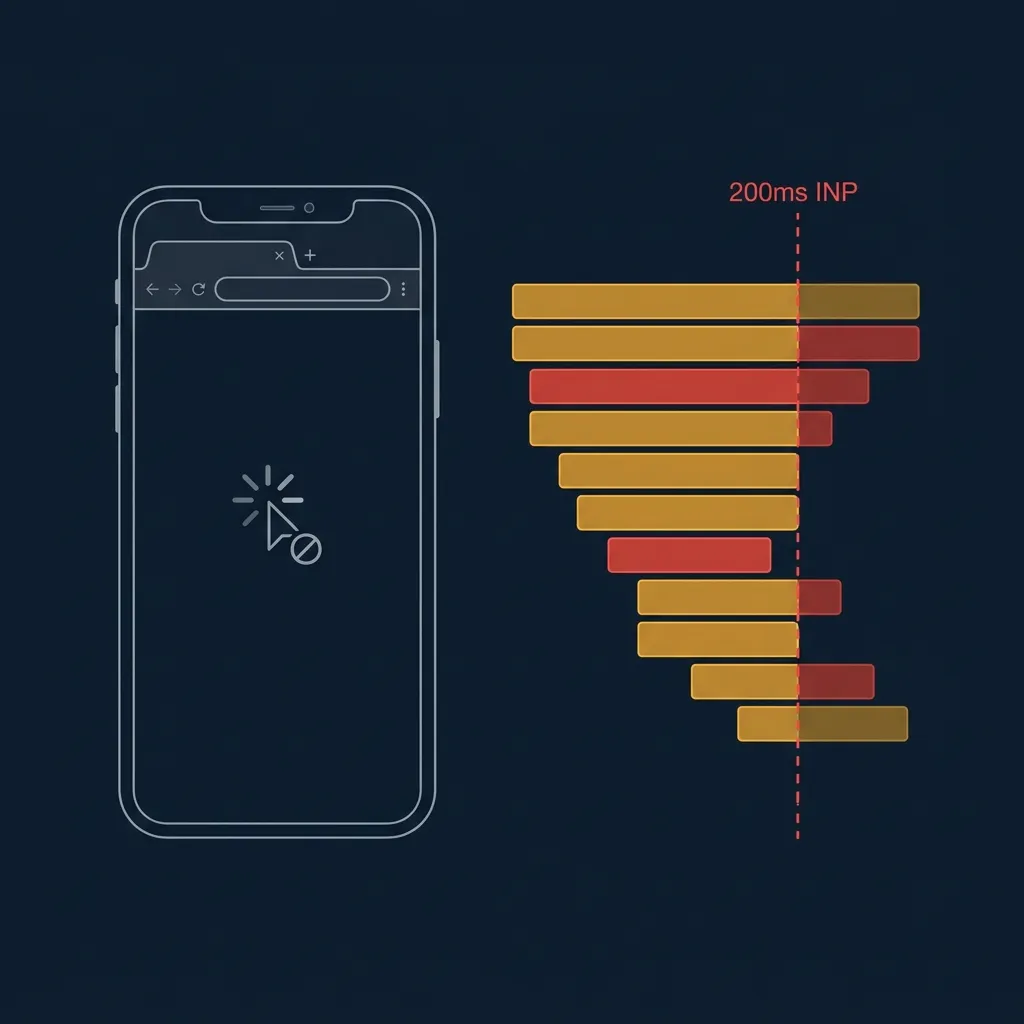
In March 2024, Google replaced First Input Delay (FID) as a Core Web Vitals signal with Interaction to Next Paint. FID measured only the first interaction on a page. INP measures the worst-case responsiveness across the entire session. Every tap, every menu open, every form field focus counts.
If your site fails INP, you are failing the signal Google uses to rank you.
The threshold is clear: under 200ms is Good. 200–500ms needs improvement. Anything above 500ms is a Poor score. Publishers running standard programmatic ad setups — AdSense auto-ads, header bidding wrappers, multiple demand partners — routinely hit 600–1200ms on mobile. This is not an edge case. It is the default outcome when ad scripts are handled without an architectural strategy to reduce ad latency in WordPress.
Why Ad Scripts Destroy INP: The Main Thread Bottleneck
JavaScript runs on a single thread in the browser. There is no parallelism. Every task — rendering, layout, garbage collection, and script evaluation — competes for this single execution lane.
When a user visits an ad-monetised WordPress page, the browser is typically asked to simultaneously:
- Parse and evaluate the page’s theme JavaScript
- Download, parse, and execute the AdSense initialization library
- Run the header bidding auction wrapper (Prebid.js is commonly 100–200kB pre-minified)
- Evaluate additional demand partner scripts for each active bidder
- Process layout recalculations triggered by ad containers being injected into the DOM
Each of these operations produces what Chrome DevTools calls a Long Task — any script execution block that takes more than 50ms to complete. During a Long Task, the browser’s event loop is locked. It cannot respond to user input.
When a user taps your mobile navigation menu during this congestion window, their input event fires — but the browser physically cannot process it until the current Long Task finishes. Every millisecond of that script evaluation delay contributes directly to your INP score.
The result is a page that feels broken. The user tapped. Nothing happened. They tap again. Still nothing. Then, 700ms later, two menu-open events fire simultaneously.
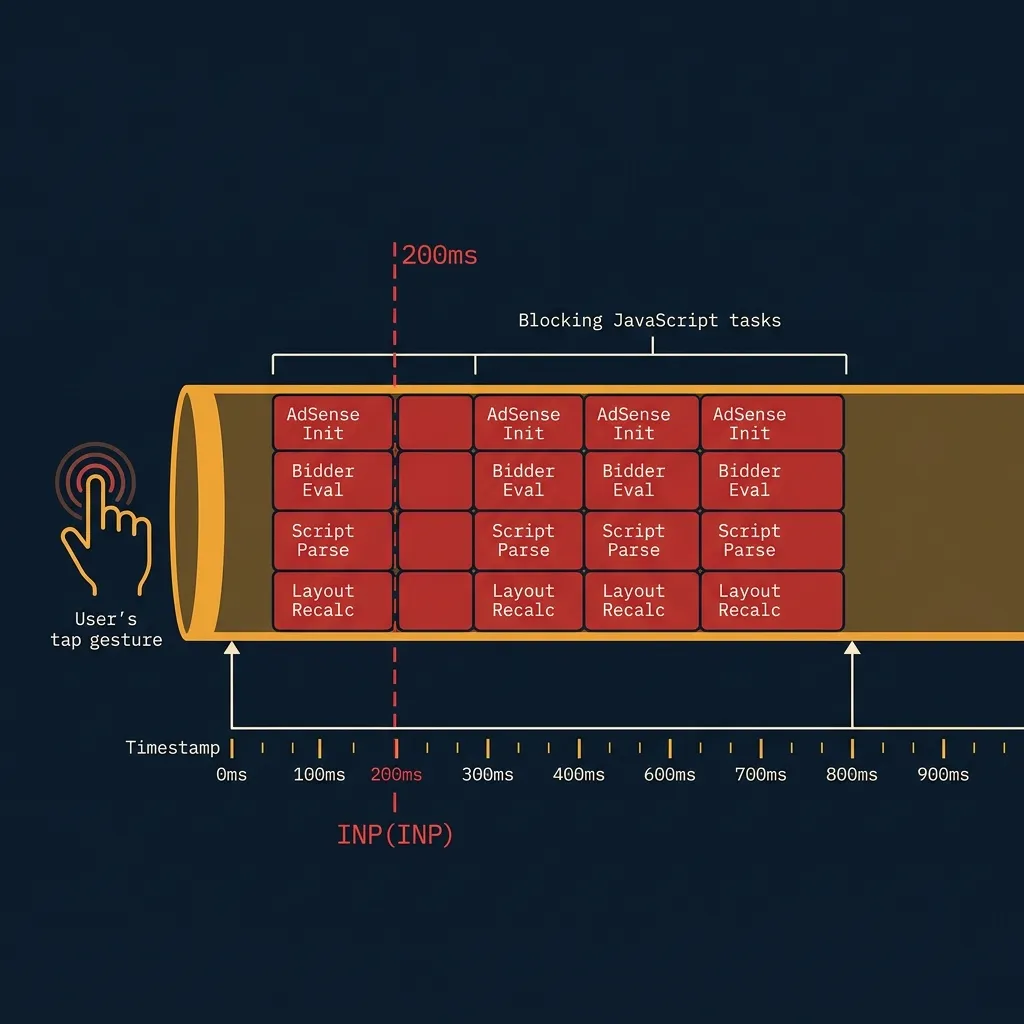
This is the INP failure mode. It is not a network problem, a server problem, or a CDN problem. It is a main thread architecture problem, caused by asking the browser to evaluate too many third-party scripts simultaneously during page startup.
Why Global Script Deferral Doesn’t Solve the Problem
The most common publisher response to INP failures is some version of: “I’ll just defer all my ad scripts.” This appears logical. It does not work.
defer and async attributes control when a script downloads relative to HTML parsing. They do not distribute script evaluation across multiple frames. Once a deferred script is downloaded, it still evaluates synchronously on the main thread — as one contiguous Long Task.
Worse, global deferral creates a new failure mode specific to ad-heavy publishers: the scroll avalanche.
Here is what happens:
- Page loads. All ad scripts are deferred — correct.
- User begins scrolling 2 seconds after load — content looks fast.
- All deferred ad scripts are now simultaneously triggered by a single scroll event.
- The browser faces an identical Long Task pile-up, but now in the middle of a scroll sequence.
- The scroll event itself — and any tap the user makes during scroll — enters the input queue behind hundreds of milliseconds of script evaluation.
INP has not improved. It has been relocated.
INP IMPACT — AD LOADING STRATEGY COMPARISON
| Feature | Inline Script (No Deferral) | Global async/defer | AdVajra AdVajra Smart Loading |
|---|---|---|---|
| Initial page load INP | Poor (600–1200ms) | Good | Good |
| INP during scroll | Poor | Poor (scroll avalanche) | Good |
| Long Task count (mobile) | High | High | Low |
| Main thread free during startup | ✗ | ✓ | ✓ |
| Revenue-safe (no missed auctions) | ✓ | Partial | ✓ |
| Lazy loads per viewport proximity | ✗ | ✗ | ✓ |
The comparison above is not theoretical. The scroll avalanche pattern is documented in Google’s own INP case studies and reproduces consistently when tested with Chrome DevTools’ Performance profiler on sites running standard async ad setups.
This is also a deeper symptom of what happens when ad management is treated as a collection of isolated utility decisions rather than a coherent publisher infrastructure problem.
The AdVajra Solution: Isolated Architectural Gates
Solving INP for an ad-heavy WordPress site requires isolating script evaluation — not deferring it globally, but gatekeeping each placement individually so that no ad script evaluation can occur unless the user is genuinely about to see that placement.
AdVajra Pro’s performance pipeline implements this through three coordinated mechanisms.
AdVajra injects native browser loading attributes — loading=“lazy”, fetchpriority=“low”, and decoding=“async” — directly onto the initial ad image tags inside each placement. This signals to the browser’s resource scheduler that these assets are non-critical. The browser deprioritizes their fetch and decode operations, keeping the main thread free for layout and user-interactive content during page startup.
This is not a JavaScript workaround. It is a direct browser-native instruction that costs zero execution time to apply.
For below-the-fold ad embed scripts, AdVajra wraps the entire embed code inside an HTML5 <template> tag. The <template> element is an inert DOM node — the browser’s parser reads it and stops. Its contents are never rendered, never executed, and never fetched. The CPU cost is effectively zero.
No JavaScript library is required to produce this behavior. It is a standard HTML primitive supported in every modern browser. The ad script sitting inside the <template> cannot produce a Long Task because the browser never attempts to evaluate it during page initialization.
A lightweight frontend routine registers an IntersectionObserver with a 200px root margin against each ad container. This margin means the observer triggers 200 pixels before the placement scrolls into the visible viewport — giving the browser a full scroll window to begin loading the ad before the user actually reaches it.
When the observer fires, it clones the <template> node’s content, injects it into the live DOM, and disposes of the observer immediately. The ad script evaluates exactly once, in isolation, in a controlled time window when the main thread is not congested by simultaneous initialization tasks.
The result: no scroll avalanche. Each placement activates independently, in sequence, as the user naturally descends the page.
The Smart Loading module and template isolation engine are available in AdVajra Pro.
If your ad stack is costing you INP headroom, the performance controls workspace lets you activate all three mechanisms from a single settings screen — without editing theme files or writing custom JavaScript.
See PRO Plans →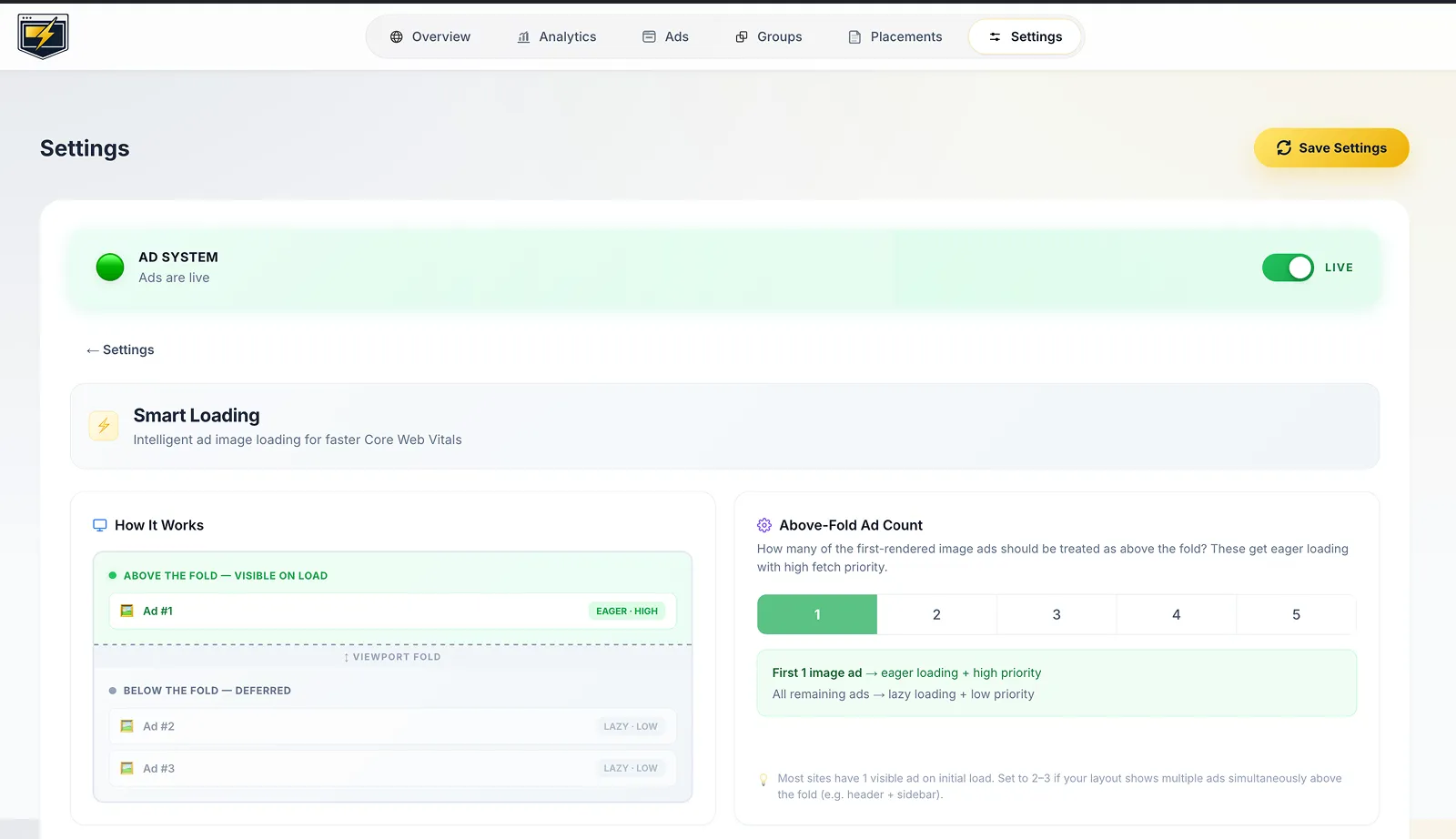
What This Means for Your Auction Yield
A common concern when implementing lazy loading for ads is revenue impact. If an ad doesn’t load until the user scrolls near it, does that reduce auction participation?
The 200px root margin is the answer. At standard mobile scroll speeds, 200px of pre-scroll buffer translates to roughly 300–500ms of lead time before the placement is visible. Header bidding auctions typically complete in 200–300ms when network conditions are reasonable. The auction and ad render complete before the placement is visible in the vast majority of sessions.
Ads that were previously never in the viewport during a session — because the user bounced before scrolling — were generating zero revenue anyway. Lazy loading converts them from wasted script evaluation overhead into zero-cost non-events.
The CLS implications are also direct. Every ad container in this pipeline has a pre-reserved CSS bounding box established before any script evaluation begins. If you are also managing Cumulative Layout Shift caused by your ad slots, this architecture handles both problems through the same mechanism: the container exists and is sized before the script fires.
Auditing Your INP Baseline
Before making changes, establish a documented baseline. Use these three tools in sequence:
1. Chrome DevTools — Performance Panel
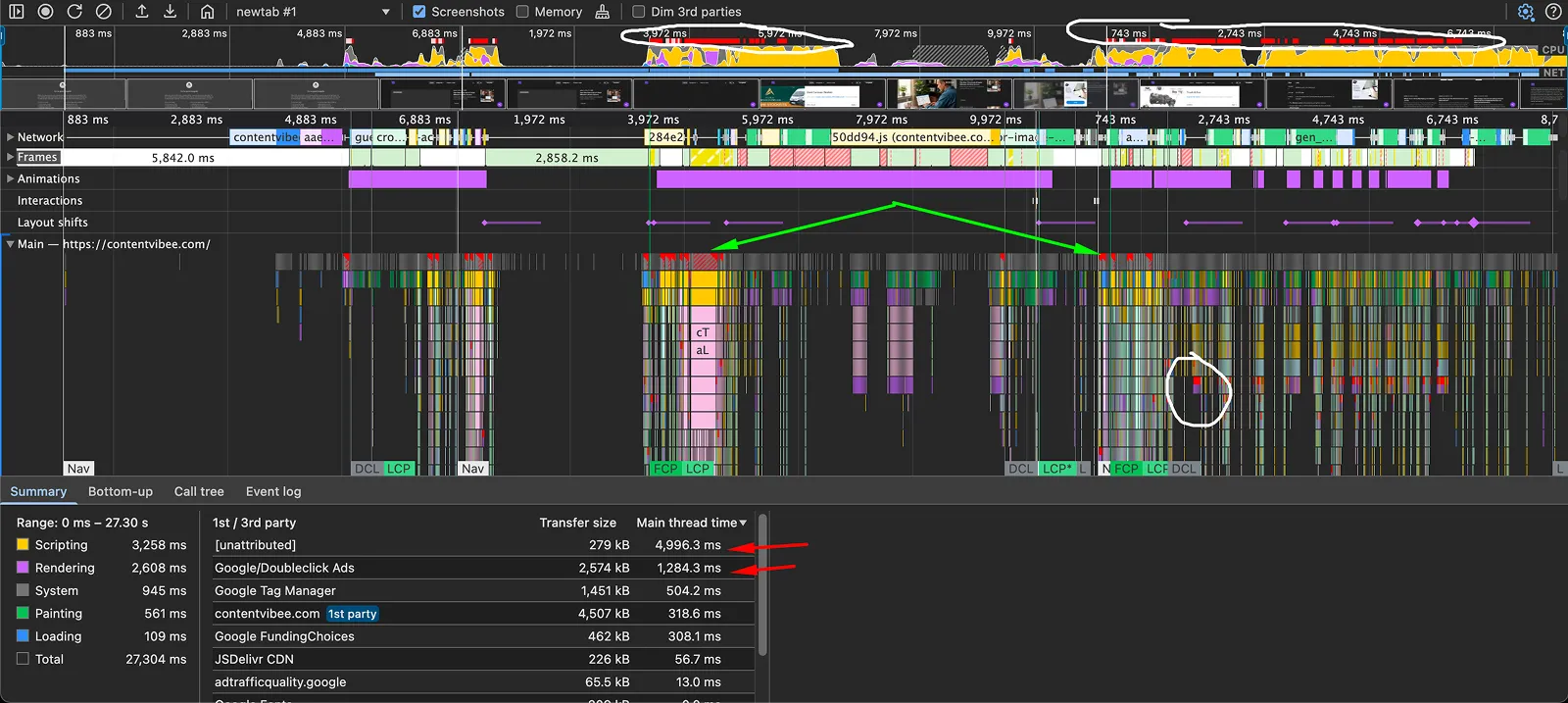
Record a page load on a throttled mobile connection (4G throttle, 4x CPU slowdown in DevTools settings). Look for red Long Tasks in the main thread flame chart. Filter by “Third Party” in the bottom summary to isolate ad script contributions.
2. WebPageTest
Run a test from a mobile agent on a mid-tier Android device profile. The “Main Thread Processing Breakdown” waterfall will show you exactly which scripts are consuming main thread time and in which order.
3. Chrome UX Report (CrUX)
For field data from real users on your domain, query the CrUX API or use PageSpeed Insights. Field INP data represents the 75th percentile interaction across all real visits — more representative than any lab test.
Compare your baseline against the 200ms Good threshold. If you are consistently above 300ms on mobile, and your site runs more than two active ad demand partners, the broken ad management workflow pattern described here is almost certainly the primary cause.
A Final Note on Architecture vs. Workarounds
INP is a fundamentally different signal from the Core Web Vitals that preceded it. FID could be gamed — a single fast first interaction could produce a good score even on a slow page. INP cannot be gamed. It measures every interaction across the full session. Any Long Task that occurs while a user is actively using your page contributes to your worst-case score.
This means workarounds that optimize for the initial load while ignoring mid-session script execution will not produce sustainable INP improvements. The only durable solution is to prevent ad scripts from occupying the main thread during any window when a user interaction might occur.
That requires treating ad delivery as infrastructure — a set of coordinated, intentional execution gates — rather than a collection of pasted script tags. The architecture of modern publisher ad systems has to account for INP as a first-class constraint, not an afterthought addressed after the ad stack is already assembled.
Publishers who build around that constraint will hold their search rankings as Google continues to weight INP more heavily in its ranking signals. Publishers who don’t will keep debugging the same performance regression after every new demand partner they activate.
Stop leaving ad revenue on the table.
Get the Delivery Risk Queue, Click Fraud Protection, AdBlock Recovery and more.